2a · User types
enum Rarity:
Common
Rare
Legendary
struct Item:
var Name: Name
var Quality: Rarity
var Loot: Array[Item]
A Python-style language that compiles directly to Unreal's Blueprint bytecode. Write .bps files, compile in-editor, and ship standard Blueprint assets. Editor-only, with zero runtime cost.
extends Character

@export
var MaxHealth: float = 100.0
var Health: float = 100.0

event BeginPlay():
    Health = MaxHealth
    PrintString(f"Spawned with {Health} HP")

func TakeDamage(amount: float):
    Health = Clamp(Health - amount, 0.0, MaxHealth)
    if Health <= 0.0:
        Die()

func Die():
    PrintString("Player down")
DestroyActor()| A | Native bytecode | Emits raw Blueprint VM opcodes into the generated class. Output is byte-identical to a hand-built graph. |
| B | Plain-text source | One class per .bps file. Real diffs, clean merges, no binary .uasset conflicts. |
| C | Zero runtime cost | Editor-only plugin. The packaged game ships only the assets, with no module and no per-platform steps. |
| D | Full reflection access | Every engine type, function, struct, enum and interface resolves through UE reflection. |
| E | Networking decorators | Replication and RPCs through one-line decorators like @replicated, @server, @client and @multicast. |
| F | Python-style syntax | Indentation-scoped. No braces, no semicolons. One class to a file. |
| G | User-defined types | Declare your own struct, enum and mixin types alongside engine ones. |
| H | Cross-file imports | Pull classes and types across files with import, with circular-import detection. |
enum Rarity:
    Common
    Rare
    Legendary

struct Item:
    var Name: Name
    var Quality: Rarity

var Loot: Array[Item]func Label(state: int) -> String:
return match state:
0: "idle"
1: "running"
2: "jumping"
_: "unknown"@replicated(notify=OnHealth)
var Health: float = 100.0
@server
@reliable
event RequestReload():
Ammo = 30
func OnHealth():
UpdateHud()var OnDied: Delegate[Actor]
func Bind():
OnDied.Add(self, "HandleDeath")
func HandleDeath(who: Actor):
Respawn(who)event BeginPlay():
PrintString("waiting")
await Delay(2.0)
PrintString("done")func Process():
defer Cleanup()
if not Ready():
return
DoWork().bps source files, one class to a file..uasset files.| I-1 | Highlight & complete | Syntax highlighting plus context-aware autocomplete with signature hints. |
| I-2 | Live type-checking | Keystroke-time squiggles flag type mismatches before you compile. |
| I-3 | Debugger | Breakpoints, step controls, locals and a live call stack, inside the editor. |
| I-4 | Hot reload | Recompile while play-in-editor is running and keep the session alive. |
| I-5 | Navigate & refactor | Go-to-definition, find-all-references, rename, and a file outline. |
| I-6 | 33 color themes | Re-skin the whole editor from 33 built-in palettes. Preview them in the Themes section below. |
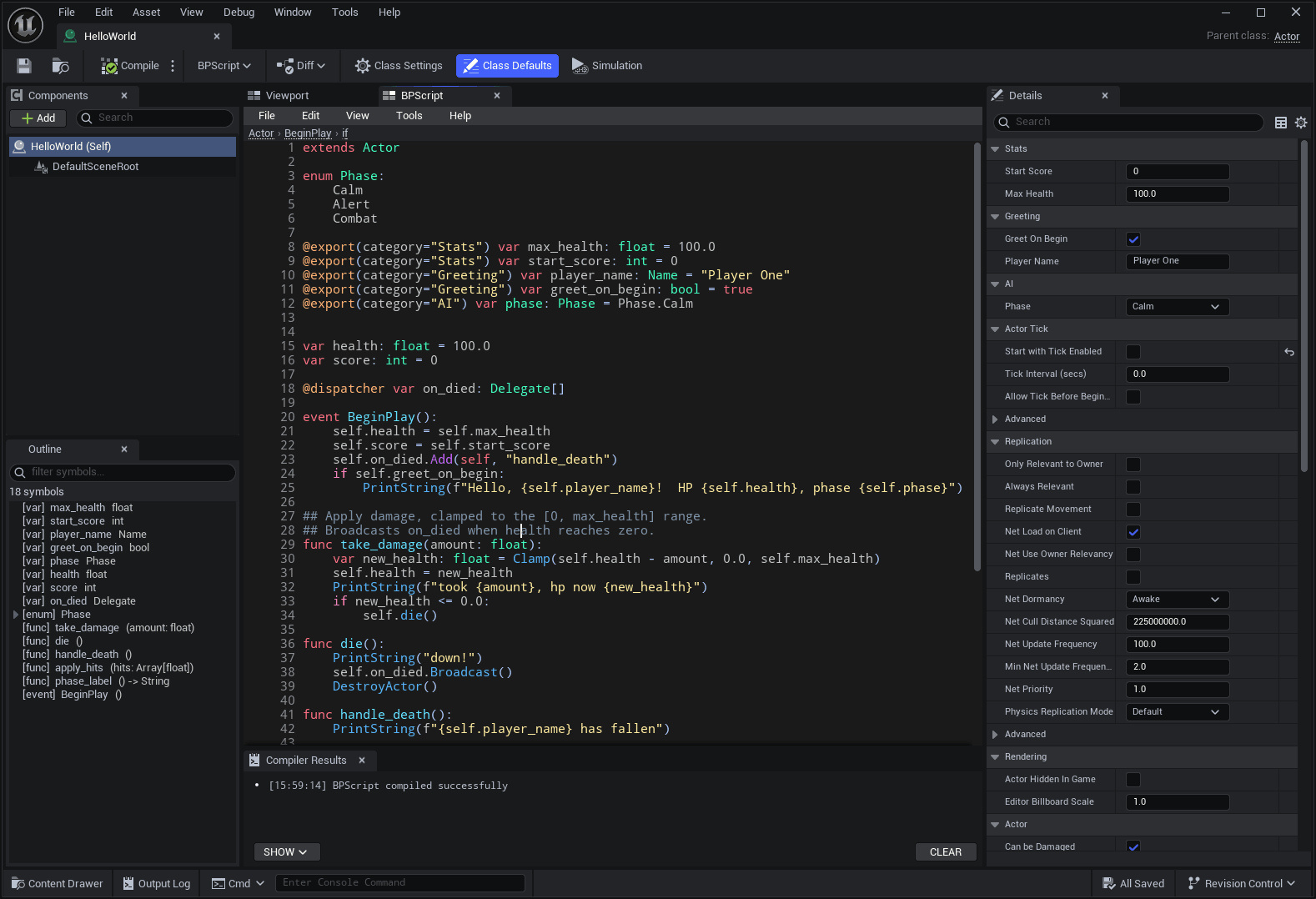 ScreenshotCode editor
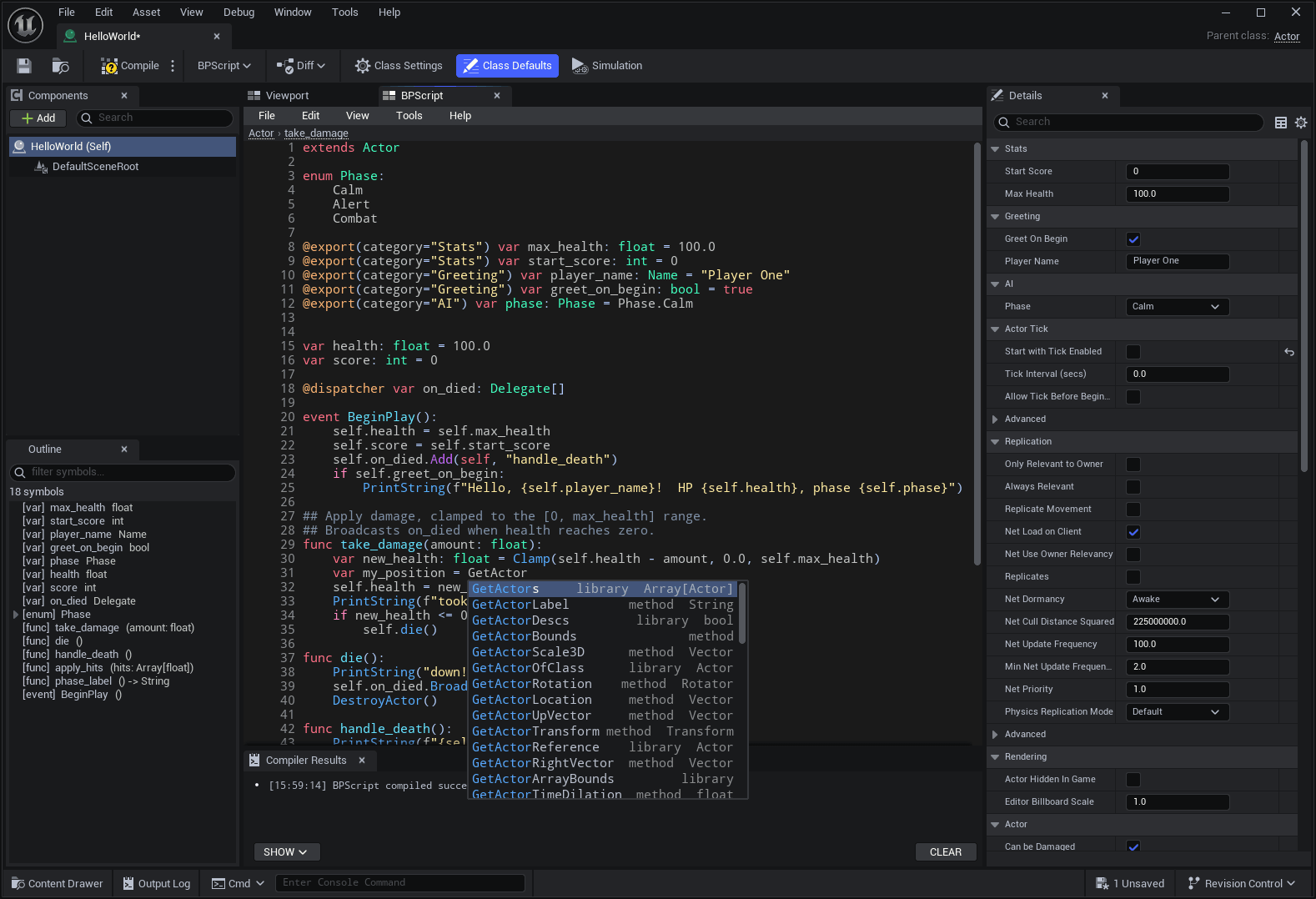 ScreenshotCompletion + hints
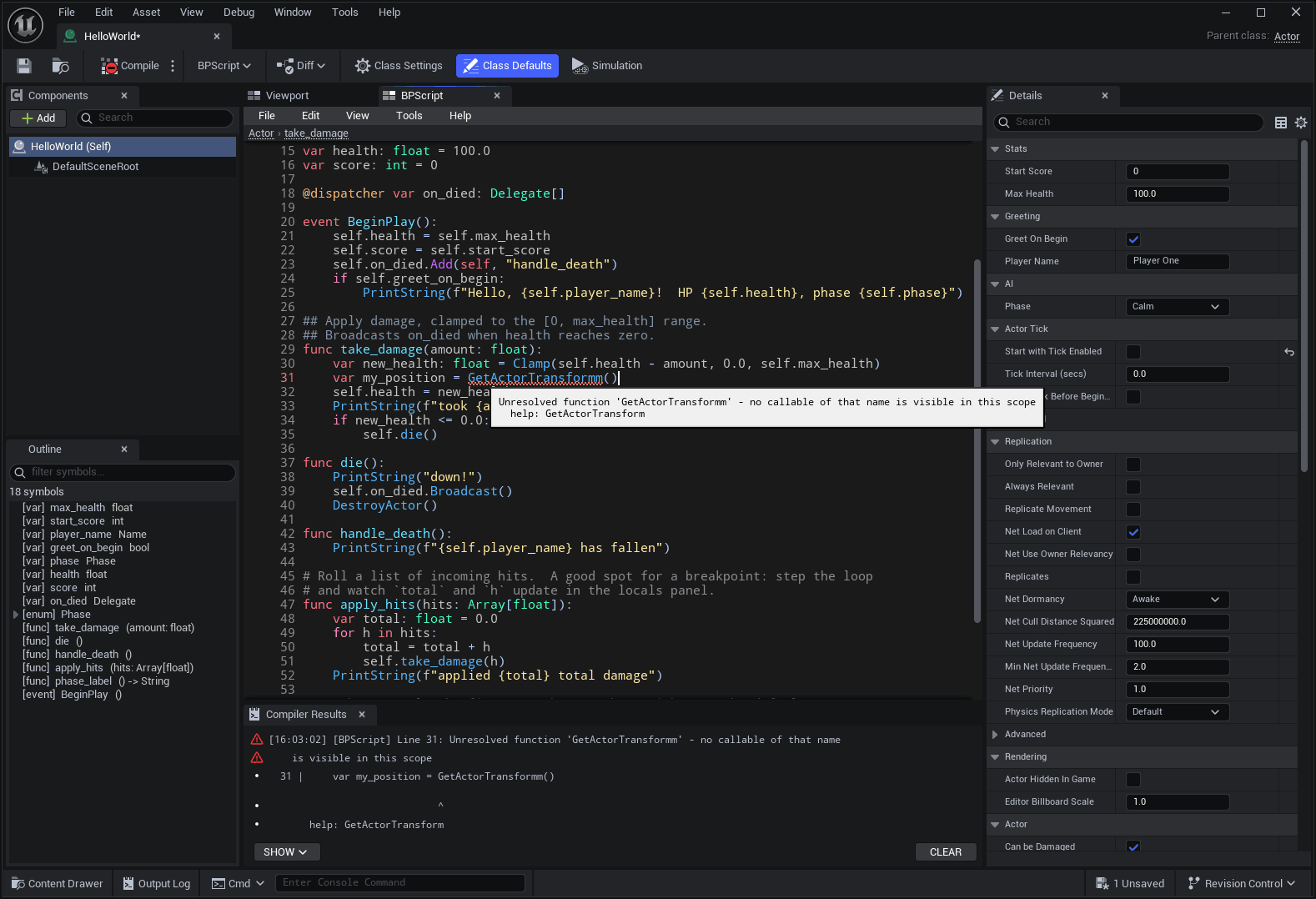 ScreenshotLive squiggles
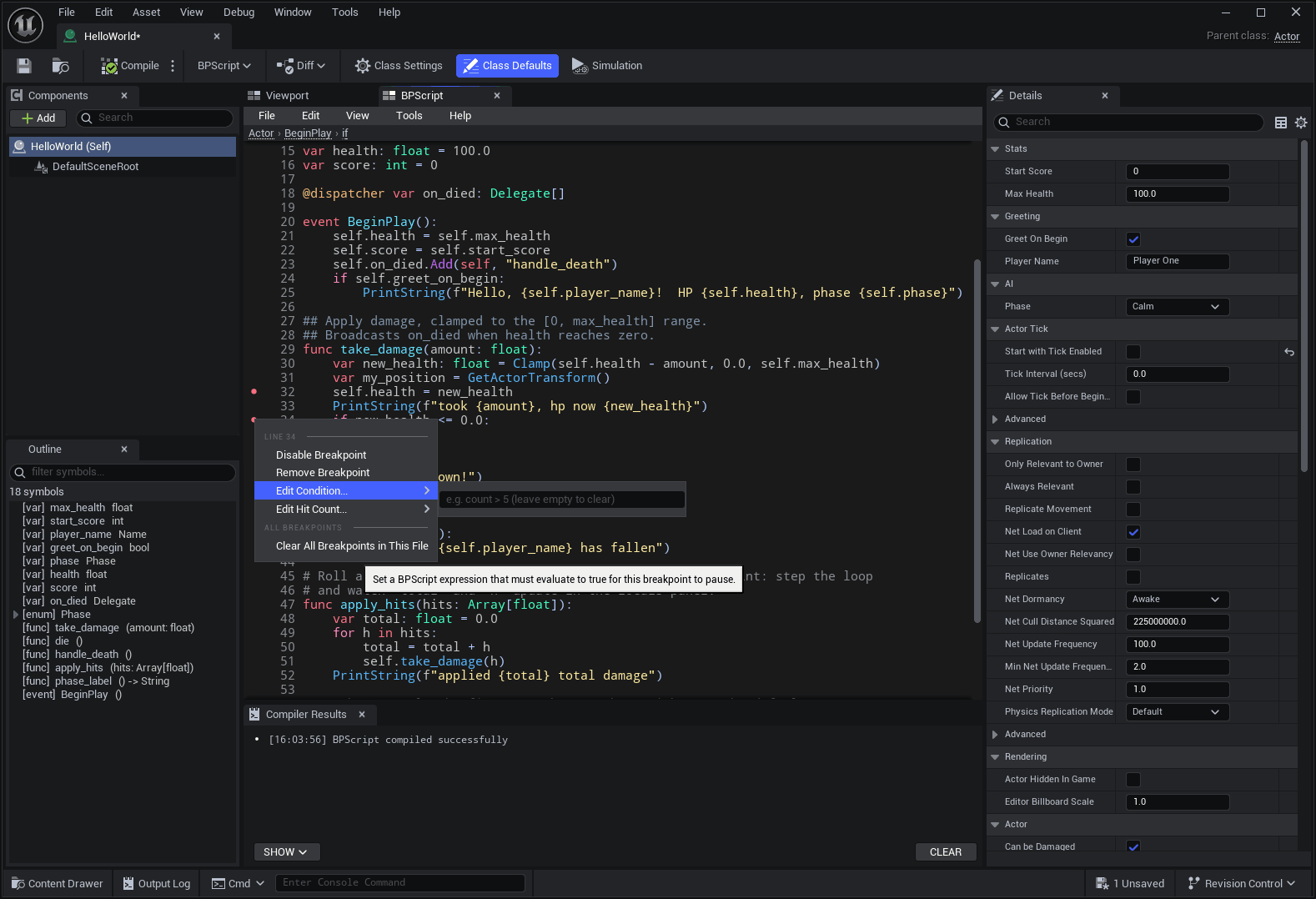 ScreenshotSet breakpoints
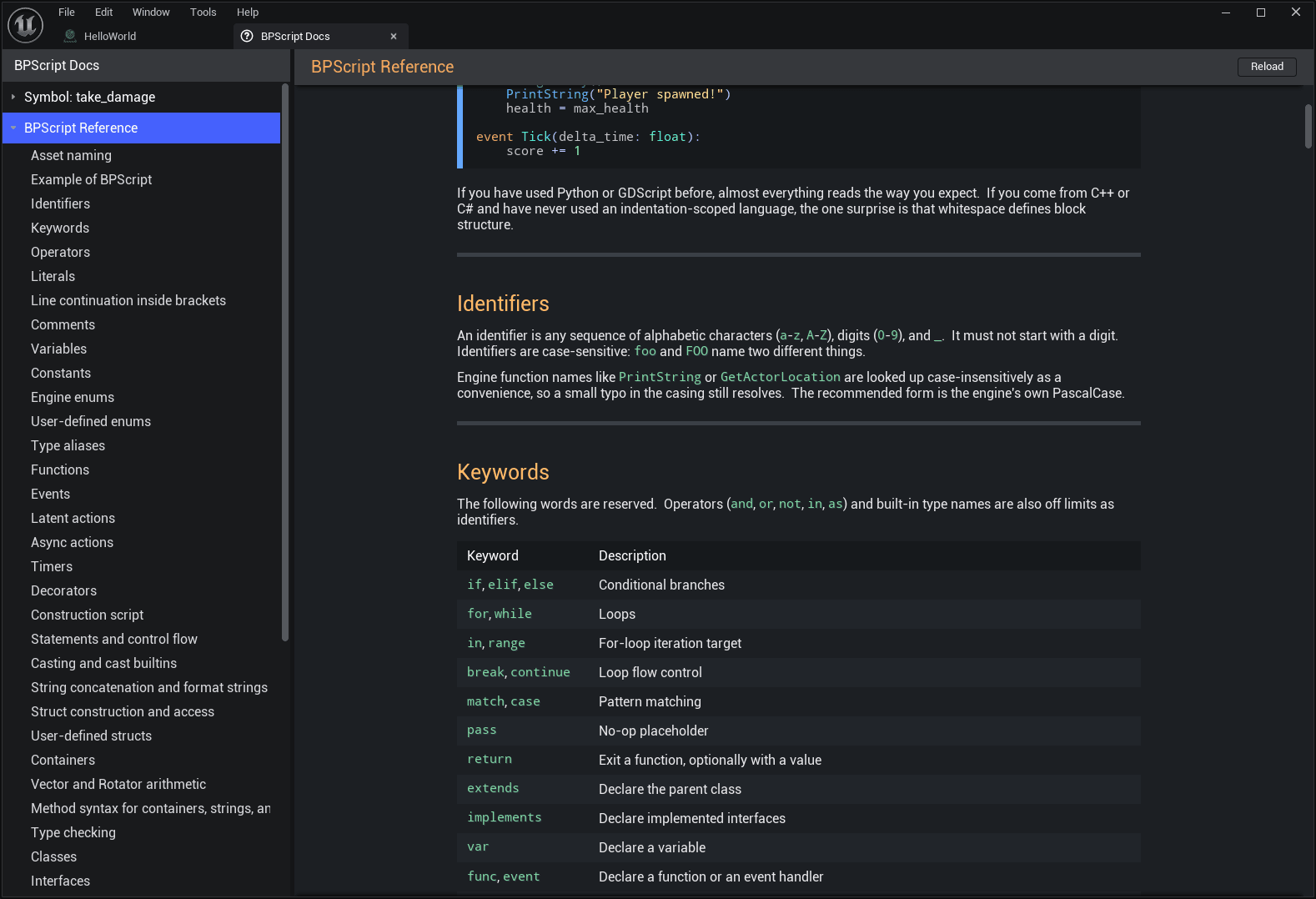 ScreenshotIn-editor docs
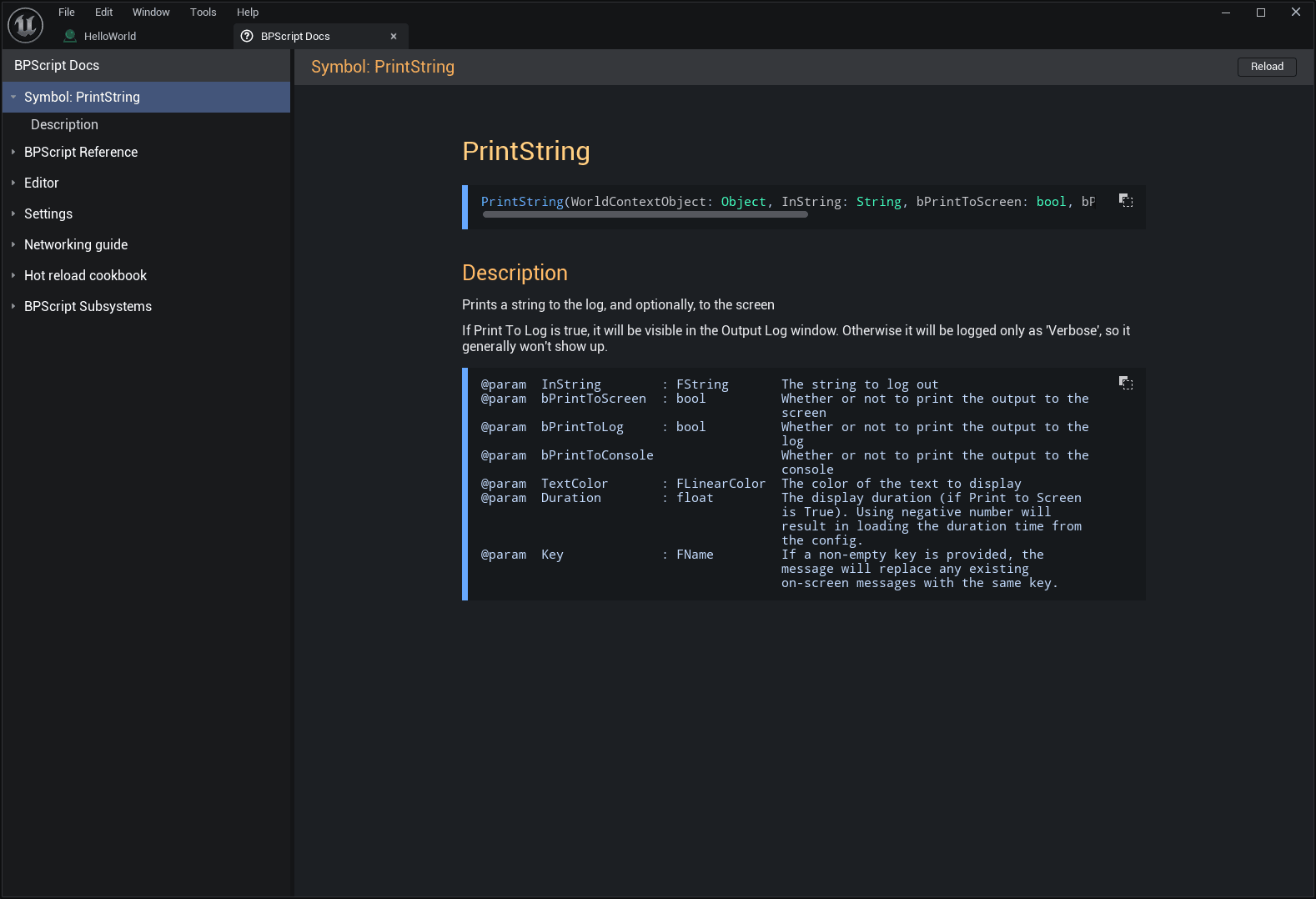 ScreenshotF1 symbol docs
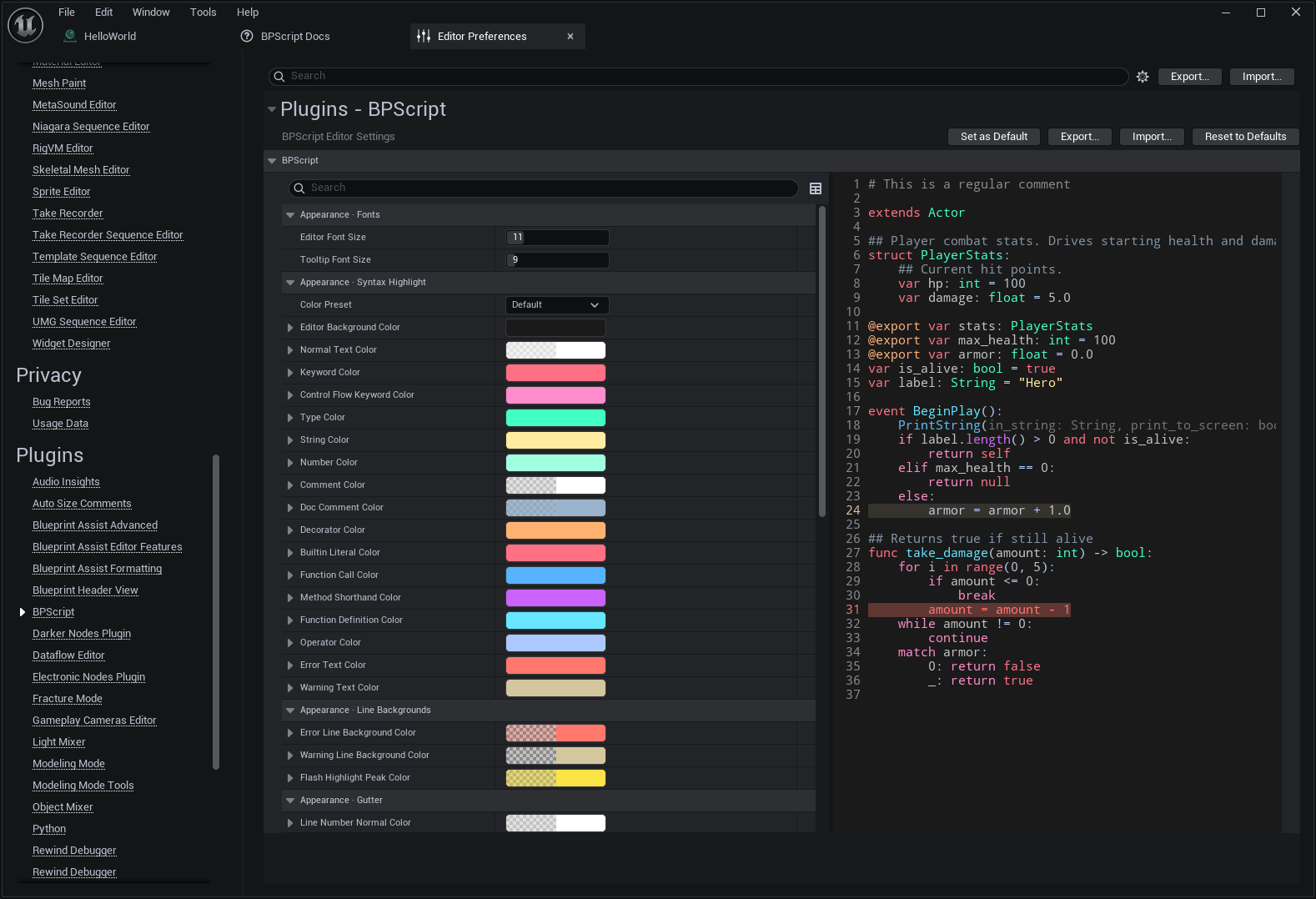 ScreenshotPreferences
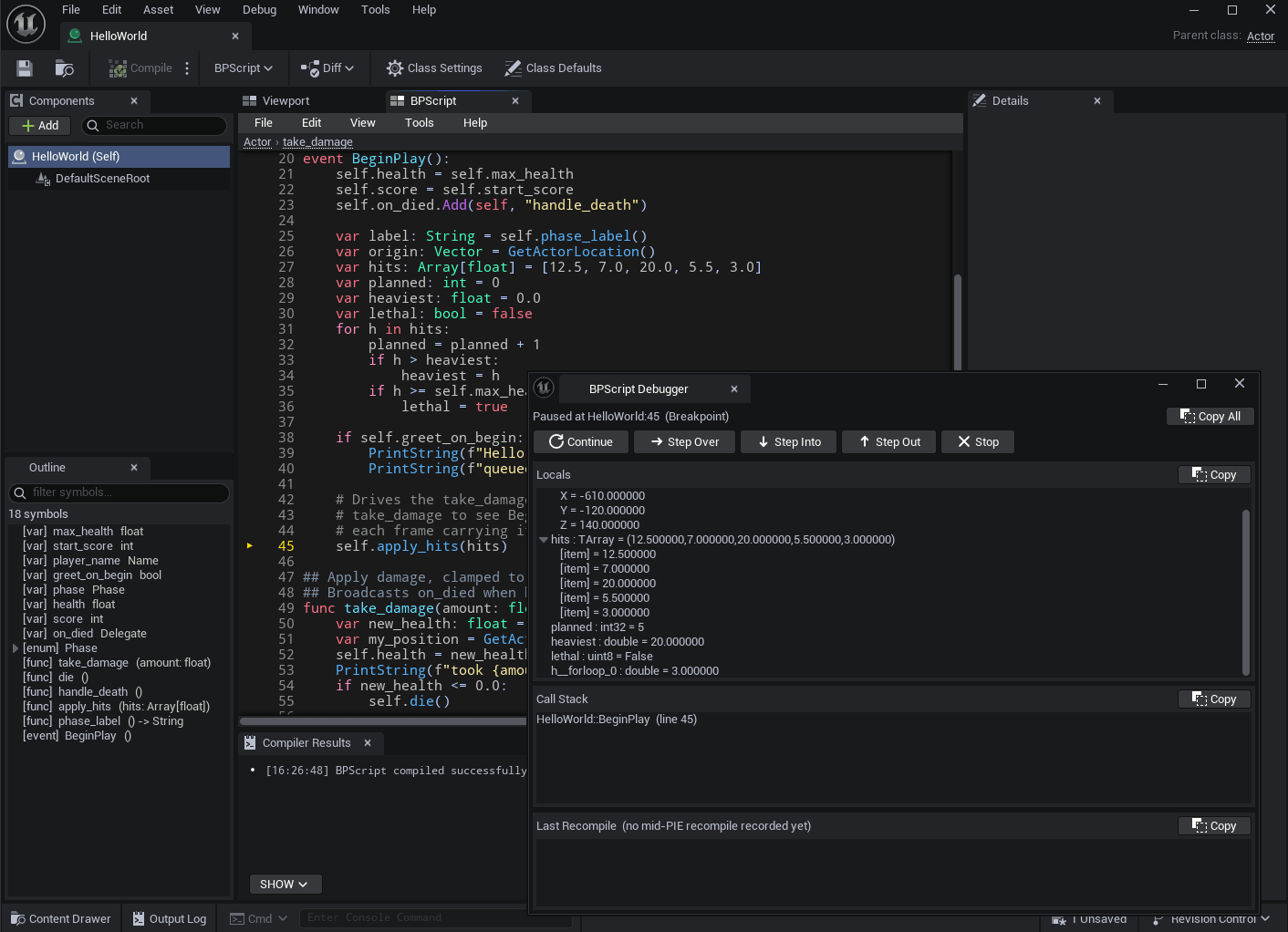 ScreenshotLocals + call stack
| F7 | Compile | Compile the active .bps file into its Blueprint asset. |
| Alt + G | Go to definition | Jump to the declaration of the symbol under the cursor. |
| Ctrl + T | Go to symbol | Open the project-wide symbol search. |
| Ctrl + F | Find | Search within the current file. |
| Ctrl + H | Replace | Find and replace in the current file. |
| Ctrl + G | Go to line | Jump to a line number. |
| F1 | Symbol docs | Open the reference page for the symbol under the cursor. |
BPScript's code editor comes with 33 built-in color themes. Pick one here and the sample beside it recolors instantly. The whole sheet follows along.
# change the dropdown to recolor
@export
var Speed: float = 600.0
var Names: Array[Name]

func Move(dir: Vector) -> bool:
    if Speed <= 0.0:
        return false
    var v = dir * Speed
    SetActorLocation(GetActorLocation() + v)
return true.bps file in the in-editor code editor.The complete manual ships with the plugin and reads in-editor. The same pages are on this site. They cover the language reference, the editor, networking, hot reload, settings and subsystems.
Open the documentationA full compiler, run entirely inside the editor. It touches no graph internals. It writes Blueprint VM opcodes directly, then assembles a standard generated class.